Headless VirtualBox
The adventure continues
After I packed full my new server with docker containers, it was time to look for something new to do with it. I decided to install VirtualBox because it will be useful for running Vagrant for learning Ansible (book recommendation Ansible for DevOps by Jeff Geerling)
Ubuntu how I (not) missed you
First we’ll have to install VirtualBox, but this is not just a simple apt install virtualbox, nooo. You should use the official Oracle repo for that.
Get the gpg-key
sudo wget -q https://www.virtualbox.org/download/oracle_vbox_2016.asc -O- | sudo apt-key add -
Add the Oracle repo to your sources.list
deb [arch=amd64 signed-by=/usr/share/keyrings/oracle-virtualbox-2016.gpg] https://download.virtualbox.org/virtualbox/debian jammy contrib%
Install
|
|
Check the installation
sudo systemctl status vboxdrv
Add your user to the vboxusers group
sudo usermod -aG vboxusers $USER
Headless stuff
I want to use VirtualBox in headless mode so some more black magic with the proper Extension Pack is needed.
|
|
It’s finished. Or is it?
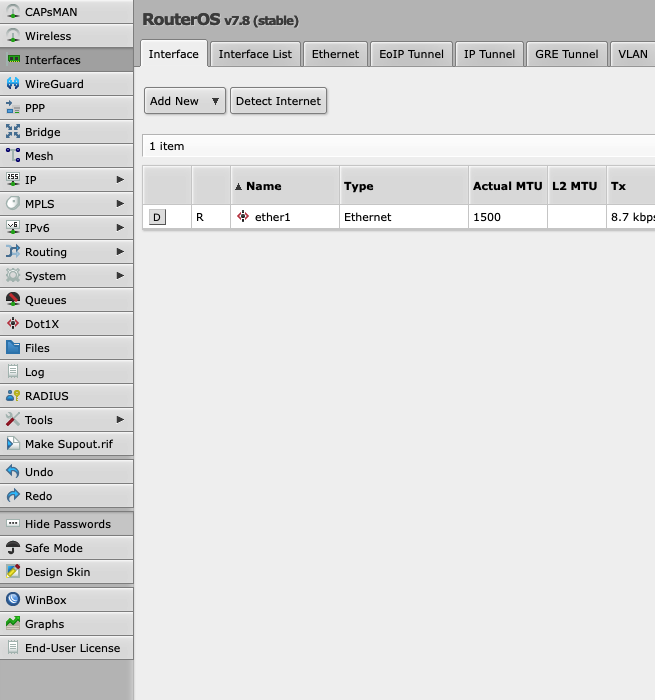
Now the headless VirtualBox installation is complete, let’s do something interesting with it, finally. I wanted to run MikroTik CHR (Cloud Hosted Router) for some time. The reason being that based on my experience with updating my live system on my MikroTik hAP AC3: major version upgrades are a pain in the ass. Everything is working, but not really, last time I had to do a lot of debugging when upgrading from 6.x to 7.8.
So let’s install MikroTik CHR! It’s free for use, the only drawback is that without a license it will throttle all interfaces to 1 Mbps, but that’s not an issue for me, this is just for learning and testing.
Creating a virtual machine in headless mode
This was somewhat straightforward and at the same time painful, so in the end I went with installing phpvirtualbox. In Docker. Obviously. But that will be a later post, it has its own quirks.
So. Creating a CHR VM with 64 MB of RAM, a disk to store the system and starting it:
|
|
Getting info about the running VM:
vboxmanage showvminfo "CHR 7.8"
Shutting down and saving the state of the VM:
vboxmanage controlvm "CHR 7.8" savestate
Conclusion
It’s alive!